The free companion of fluXtore funnels

Recover Abandoned Carts in WooCommerce, Even Inside Your Funnels

Consent-first reminder emails with timing you decide. Works with any WooCommerce store, and tells you which fluXtore funnel and step loses the sale.

» Download the free plugin Read the docs

By AI Next Studio · Updated November 7, 2026
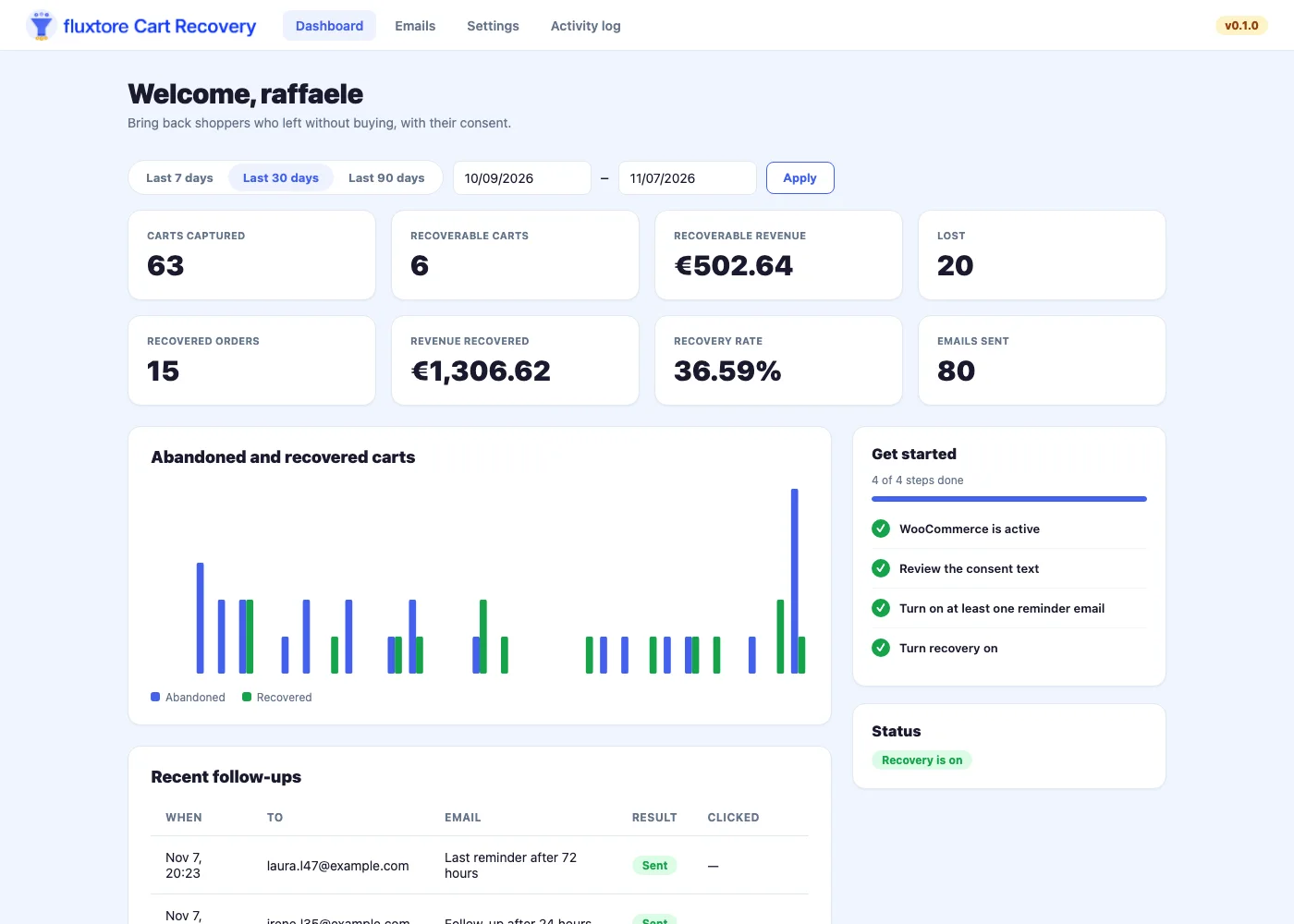
The Cart Recovery dashboard: carts captured, recovered orders, revenue recovered and recovery rate

Ask First. Then Remind.

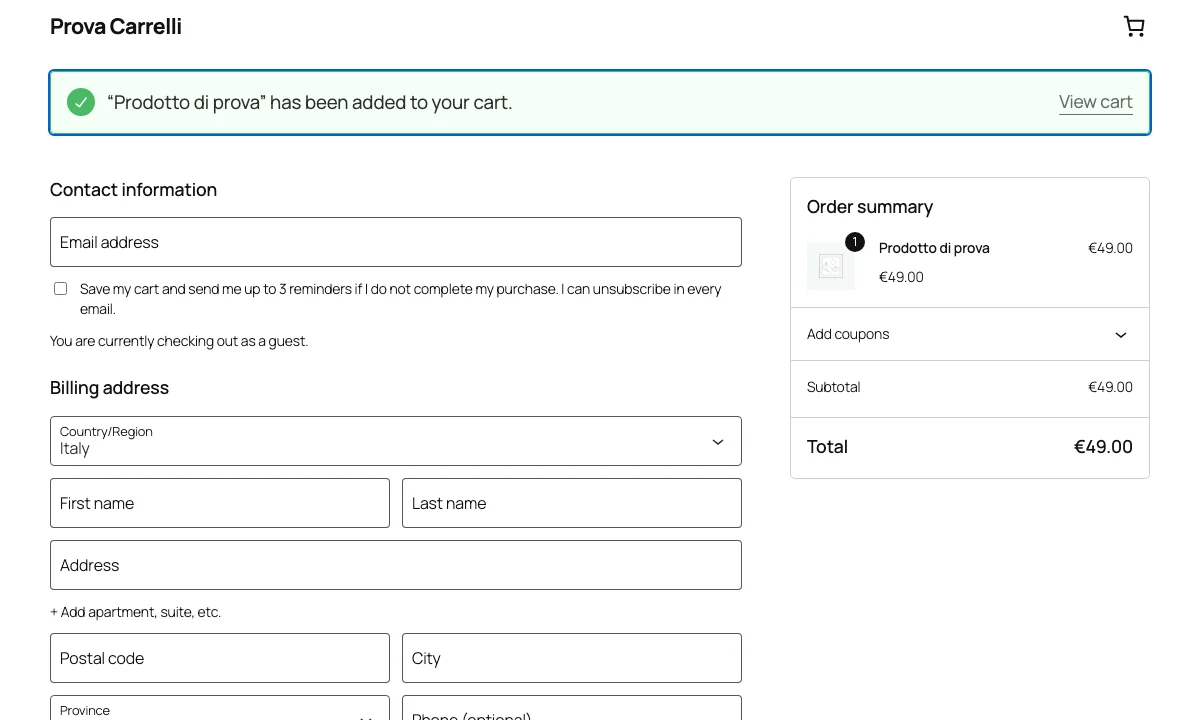
A small box sits under the email field. Nothing is saved, and no cookie is set, until the shopper ticks it. You write the text, and a copy is stored with every cart.

  • Works with the classic and the Blocks checkout
  • Unsubscribe in one click, from every email
  • Data deleted after the period you choose
» See how consent works
WooCommerce checkout with the Cart Recovery consent box under the email field

Reminders That Look Like a Shop Email

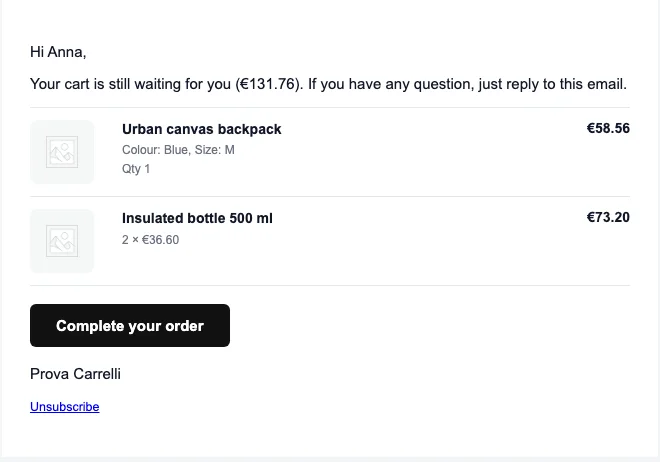
Every product comes with its picture, options, quantity and price, and a button brings the cart back with one click. Add a single-use coupon, valid only for that shopper.

  • Up to three emails, each with its own timing
  • Coupon as a percentage or a fixed amount
  • Send yourself a test before going live
A Cart Recovery reminder email with product pictures, prices and a button

Know Which Funnel and Which Step Loses the Sale

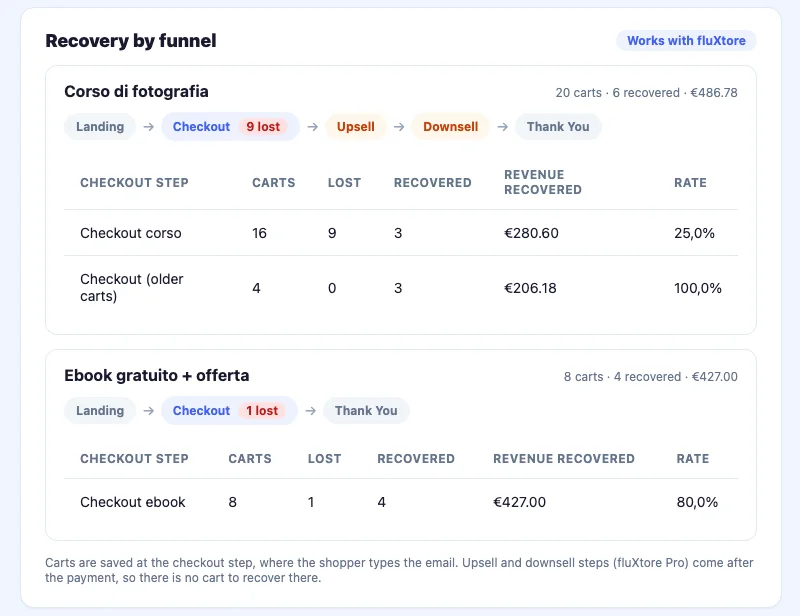
With fluXtore, every cart remembers its funnel and checkout step. The dashboard shows what you lose and win back funnel by funnel, and the shopper returns to that funnel's checkout.

Landing→Checkout · carts saved here→Upsell (Pro)→Downsell (Pro)→Thank You

fluXtore Free has landing, checkout and thank-you steps. Upsell and downsell are part of fluXtore Pro and come after the payment, so there is no cart to recover there. Cart Recovery also works on its own, with any WooCommerce store.

» Discover fluXtore
Recovery by funnel: carts, lost and recovered per funnel and checkout step

See What You Win Back

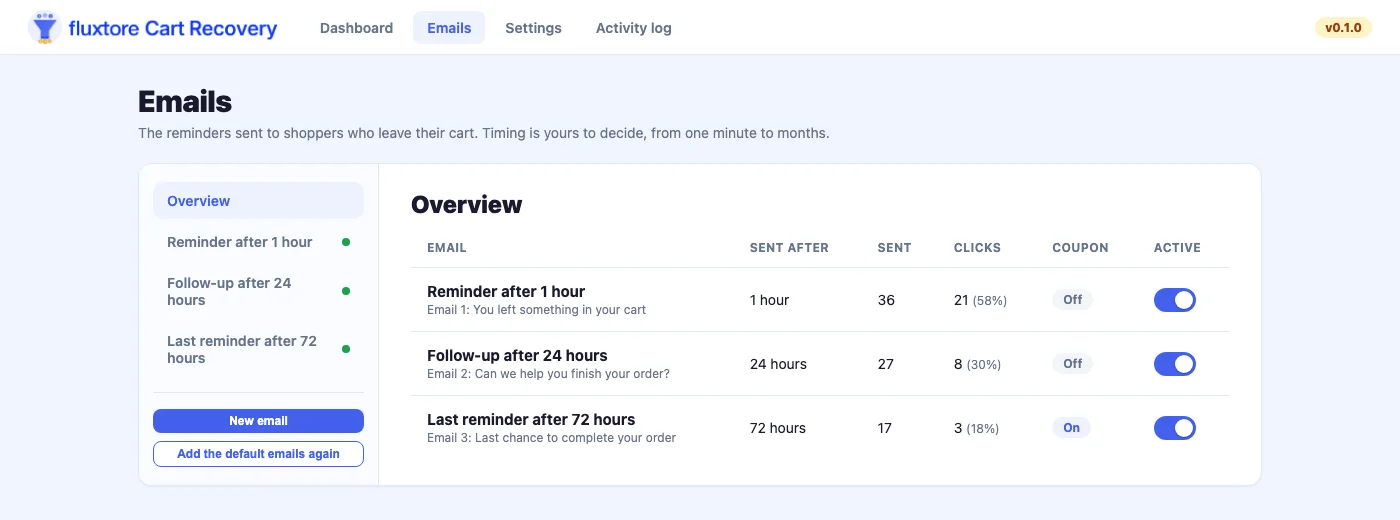
Sent and clicks for every email, recovered orders and revenue, an activity log with filters and CSV export. A sale counts as recovered only when the order is paid.

  • Carts captured, abandoned, recovered and lost
  • Clicks on the restore link, email by email
  • Optional weekly report and webhook
Cart Recovery emails with sent and click counts for each reminder

Free, Complete, and Private

No tracking pixels, no telemetry and no external services.

Timing you decide

Every delay is a number and a unit, from one minute to months.

Single-use coupons

Percentage or fixed amount, valid only for the shopper, deleted when expired.

Privacy tools

Personal data export and erasure through WordPress, and a suggested privacy text.

Never-email list

Block addresses and whole domains, and keep your own team out of the recovery.

Webhook

Tell Zapier or Make when a cart is abandoned or recovered. Off until you set it up.

UTM tracking

See recovered sales in Google Analytics with parameters on the restore link.

Four Steps, One Click Back

The shopper agrees

At checkout they type their email and tick the consent box.

The cart is left

If the order is not completed within the time you set, the cart counts as abandoned.

Reminders go out

Up to three emails, each with its own timing, a restore button and an optional coupon.

The sale comes back

When the order is paid, the cart counts as recovered and shows in your numbers.

Get fluXtore Cart Recovery

Free, no license needed. Enter your name and email and the download starts right away.

Version 1.0.0 · GPL licensed · Needs WordPress 6.2+ and WooCommerce. We keep your name and email to know who downloaded the plugin and, if you tick the box, to send you our updates. See the privacy policy.

Your download is starting

Nothing happened? Download it again.

  1. In WordPress go to Plugins → Add New → Upload Plugin
  2. Choose the zip file and click Install Now, then Activate
  3. Open Cart Recovery in the admin menu and follow the checklist

Questions? Read the docs or open a ticket.

Build Funnels That Sell, and Win Back the Carts They Lose

fluXtore™ builds sales funnels for WooCommerce: direct checkout, order bumps and one-click upsells. Cart Recovery is its free companion.

» See fluXtore

Frequently Asked Questions

The short answers, without the small print.

What is fluXtore Cart Recovery? +
fluXtore Cart Recovery is a free WordPress plugin for WooCommerce. When a shopper types an email at checkout, ticks the consent box and does not finish the order, the plugin sends up to three reminder emails with a link that brings the cart back.
Does it work without fluXtore? +
Yes. Cart Recovery works with any WooCommerce store, with the classic checkout and with the WooCommerce Blocks checkout. The "Recovery by funnel" view and the return to a funnel checkout work when fluXtore is installed.
Does it need the shopper's consent? +
By default yes. A box under the email field asks for consent, and nothing is saved until it is ticked. You can turn the box off in the settings, and the plugin then warns you that you are responsible for another legal basis.
Can I choose when the emails are sent? +
Yes. Every time is a number and a unit, from one minute to months: when a cart counts as abandoned, how long after each email is sent, when a cart counts as lost and how long data is kept.
Which fluXtore steps does Recovery by funnel cover? +
Carts are saved at the checkout step, where the shopper types the email. fluXtore Free has landing, checkout and thank-you steps. Upsell and downsell steps come with fluXtore Pro and happen after the payment, so there is no cart to recover there.
When can I download it? +
The plugin is finishing testing and will be submitted to the WordPress.org plugin directory. This page will link to it as soon as it is available.

We use essential cookies to make fluXtore work. With your consent, we'd also like to use optional cookies to understand how the site is used. See our Cookie Policy.